Meta Ads Creative Brief Template: From Offer to Ad Concepts
Copy a Meta ads creative brief template with a filled-in digital-product example, distinct ad concepts, and an AI prompt for clearer production directions.

A Meta ads creative brief should explain who the ad is for, what it offers, why the audience should believe it, what asset to make, and how you will evaluate it. A useful brief also separates verified facts from assumptions so a designer or AI assistant does not fill the gaps with invented promises.
Use the template below to turn a product page and a customer problem into a specific creative assignment. It includes a fictional digital-product example, three distinct concept directions, and a copyable AI prompt.
What belongs in a Meta ads creative brief?
A brief connects the business decision to the actual ad. It needs enough detail to guide production and enough room for a useful creative idea.
For a solo advertiser or freelance specialist, these fields are a practical starting point:
| Field | The decision it should settle |
|---|---|
| Audience and situation | Who should recognize themselves in the message? |
| Offer and destination | What will they get, at what price, and where? |
| One message | What should they understand after seeing the ad? |
| Proof | What evidence can the ad actually show? |
| Concept and format | What will appear on screen, and how will it communicate? |
| Production requirements | What files, placements, and approved assets are needed? |
| Evaluation plan | What outcome matters, and what would remain uncertain? |
The structure in this article is an Athena working template, not a required Meta form. It is designed to make the next creative decision clear without collecting information nobody will use.
Copy this creative brief template
Paste this into a document before requesting ad copy or images. Complete the facts you have; mark everything else as an assumption or an open question.
META ADS CREATIVE BRIEF
Brief ID / version:
Owner / review date:

1. BUSINESS OUTCOME
What action should the right person take?
Primary business metric:
Budget boundary and planned review point:

2. AUDIENCE AND SITUATION
Who is this for?
What are they trying to accomplish?
What do they already know about the problem or solution?
Evidence behind this insight:

3. OFFER AND DESTINATION
Product / service:
Included deliverables:
Verified price, terms and relevant conditions:
Landing page:
What the visitor should do next:

4. MESSAGE AND PROOF
One main message:
Specific objection to answer:
Approved demonstration, example or evidence:
Claims we cannot support:

5. CONCEPT
Concept name:
Reason this audience might respond:
Opening visual or first frame:
Hook / headline:
Primary copy direction:
CTA and matching destination:

6. PRODUCTION
Static, video, carousel, or other supported format:
Intended placements and current specification check:
Required ratios / exports for those placements:
Approved product images, logo, fonts and colors:
Accessibility, readability and caption requirements:
Elements that must stay visible when cropped:

7. EVALUATION
Question this concept is intended to explore:
What stays consistent and what changes?
What data would support a decision?
What outcome would still be inconclusive?
Who approves the final asset and launch?

FACTS:
ASSUMPTIONS:
OPEN QUESTIONS:
You do not need to fill every field with a paragraph. A precise sentence is often enough. If you do not have a credible testimonial, leave it out and use an honest demonstration or explain what is included.
Start with an audience situation and a verifiable offer
“Busy people who like productivity” gives an AI assistant little to work with. “A freelance designer who finishes client work but has no repeatable Friday planning routine” gives the creative a recognizable situation.
Treat that audience statement as a hypothesis until you have evidence. It might come from an actual customer question, support conversation, interview, or observed workflow. Record the source rather than presenting invented customer language as research.
Then describe the offer in terms a buyer can check: what they receive, the format, price, access conditions, and destination. The ad and landing page should describe the same offer.
For Athena, the commercial purpose of a brief is to make a relevant next step clear. A free-resource ad and a paid-product ad need different expectations. A free download headline should lead to that download process; a paid bundle headline should clearly introduce the purchase.
Separate the concept, angle, hook, and format
These terms are easy to blur. For this template, use these working definitions:
- Concept: the organizing idea of the ad, such as a walkthrough of a finished planner.
- Angle: the reason to care, such as making the next week's priorities visible.
- Hook: the opening that invites attention, such as “What does your Monday actually need?”
- Format: the way the idea is delivered, such as a static image, video, or carousel.
Changing a background color does not necessarily create a new reason to buy. Before generating several assets, write the different arguments each one will make.
Meta Blueprint's creative diversification course distinguishes diversification by concept and format. Use that distinction to review your brief: are you exploring a different message, a different presentation, or both?
This is a planning choice, not proof that any proposed concept will perform better.
A filled-in example for a fictional digital product
The following offer and creative directions are invented examples, not a customer campaign or performance case study.
Offer: a $19 one-time downloadable weekly planning template for freelance designers. It includes a weekly overview, client-deliverable checklist, and Friday review page.
Audience hypothesis: solo designers whose client deadlines crowd out planning for their own business.
Business outcome: purchases of the template. Review purchase cost alongside net revenue and the product's actual economics; no target CPA is assumed here.
Message: put client commitments and your own business priorities into one weekly view.
Available proof: an actual screen recording or readable still of the included template, once the fictional product is built. No income, time-savings, or customer-count claim is available.
Destination: a product page showing the same pages, file format, $19 price, and download conditions.
Now turn that shared brief into three different concept directions:
| Concept | What the audience sees | The argument it explores |
|---|---|---|
| Product walkthrough | An example week filled into the template | Show exactly how the product organizes work |
| Friday reset | A sequence moving from unfinished tasks to a written next-week plan | Make the planning routine tangible |
| Inside the download | A clear view of the three included pages | Resolve uncertainty about what the buyer receives |
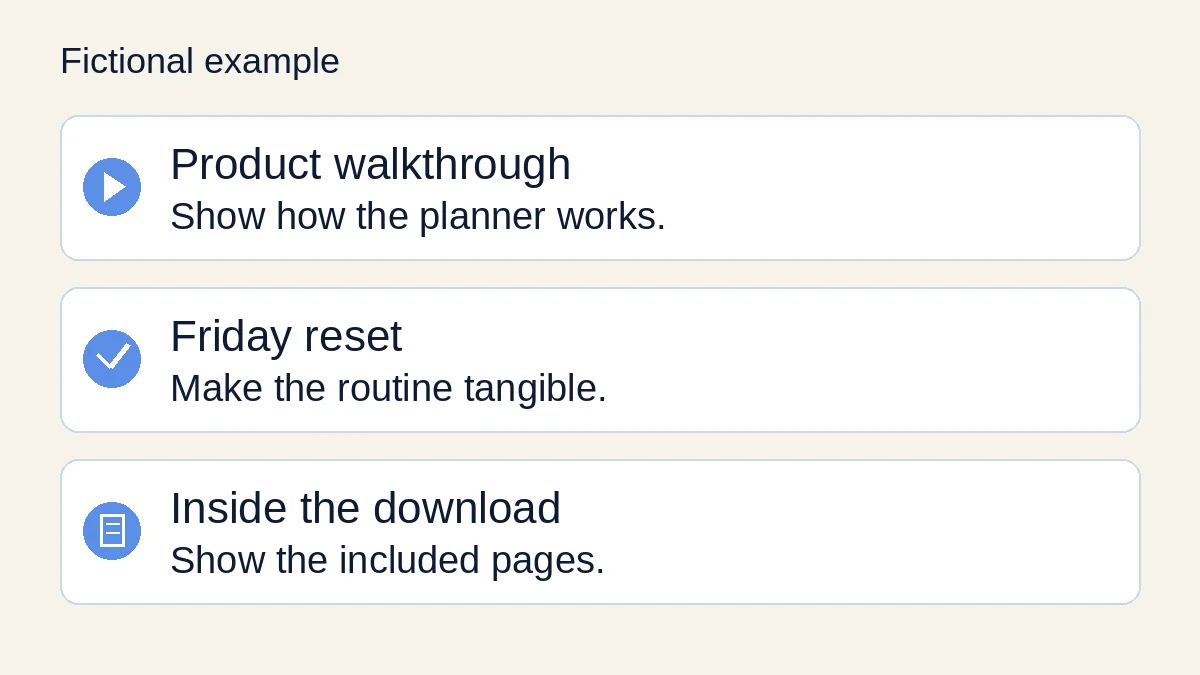
Fictional example: one offer can support different creative arguments without inventing new product claims.
For the walkthrough, an example hook could be: “One week. Client deadlines and your priorities in the same view.” The visual should make that statement observable. It should not turn into “Double your income with a planner,” because the example offers no evidence for that promise.
For the Friday reset, show a fictional planning process and label any example task data appropriately. Do not imply that a dramatized person is a real customer giving a testimonial.
Turn the brief into an AI assignment
Give the assistant the completed brief, approved assets, and a clear output request. A link can help, but verify that the assistant actually accessed the page. Otherwise paste the relevant product facts yourself.
Use the creative brief below to prepare three Meta ad concepts.

First separate verified facts, assumptions and missing information.
Use only the supplied evidence for product claims and proof.
Ask about a missing fact if it would change the offer or claim.

For each concept return:
- The distinct idea and reason the audience might care.
- An opening visual or first frame.
- One hook, one primary-text draft and one headline.
- CTA and destination match.
- Production directions using the approved brand assets.
- Claims and placement requirements to verify before launch.

If an image tool is available, state which assets you used and make
the requested draft images. Otherwise provide production-ready
image briefs. Do not claim an image was created unless it exists.

Use no invented testimonials, results, credentials or scarcity.
Do not publish ads or change an ad account.

BRIEF:
[Paste completed brief]

APPROVED ASSETS:
[Attach images or list accessible files]
For a broader introduction to preparing inputs and checking AI outputs, read our Claude for Meta Ads workflow.
When a concept is approved, turn the approved brief into a reviewed ad image with a step-by-step generation, correction and export check.
Review the output before making more variants
Compare each draft with its brief. Can you identify the audience situation, offer, evidence, and next action without reading the creator's explanation?
Then check the following:
- Offer accuracy: the price and included deliverables match the destination.
- Evidence: each measurable promise has support, or it is removed.
- Concept difference: each asset explores a recognizable idea rather than a cosmetic variation.
- Legibility: the important message and product are understandable on a phone.
- Placement fit: the final exports match the current requirements for their intended placements.
- Production quality: logos, hands, product details, captions, and generated text have been inspected.
Use Meta's Ads Guide to check current placement specifications, and preview the actual asset in Ads Manager before launch. Specifications and available formats can change; a blog template should not be treated as a substitute for that final check.
Review the ad against Meta's Advertising Standards as well. Attractive design does not establish that an ad is ready to run.
Define the evaluation before launch
A brief should identify what you want to learn, including what the available data cannot establish.
If three ads run within ordinary delivery, different spend and audiences can make a simple “winner” comparison misleading. Treat observed results as a starting point for analysis. Use a suitable controlled experiment when you need to isolate a causal effect.
Keep the primary business outcome visible. A hook that attracts inexpensive clicks may still bring poor-fit visitors. For a paid digital product, evaluate purchases and costs; for a free resource, evaluate accepted signups and later customer outcomes where measurement supports the connection.
Keep notes on which concept ran, what changed, the reporting window, and the result. Our weekly AI Meta Ads reporting guide provides a way to organize that review.
Frequently asked questions
Can I use the same brief for Facebook and Instagram ads?
You can reuse the audience, offer, message, and evidence. Check the intended placements separately and adapt the asset requirements, crop, text placement, and preview to each one.
Is an AI prompt enough to replace a creative brief?
The prompt gives instructions; the brief supplies the business facts and decisions. You can combine both in one message, but missing product facts remain missing even when the prompt sounds detailed.
How many concepts should I create?
Create only as many as you can produce well and evaluate within your budget. Three directions are used here to demonstrate the method, not as a universal Meta recommendation. If the budget cannot support a useful comparison, narrow the question and reduce the scope.
Use the brief for your next real assignment
Choose one product, complete the facts and assumptions, and turn one customer situation into a specific creative direction. Keep the brief with the finished asset so later revisions start from a recorded decision.
Get Athena's free AI creative brief prompt if you want a guided starting point in your own AI tool.
Want the full version? Agent 01 in Athena's kit (Ad creative + copy builder) takes a website link and returns 3 image ads + 2 video ads with all the ad text written, locked to the brand's colours, fonts and logo. See the 6-agent kit. AI subscriptions, image tools and applicable tax are separate.