
AI Meta Ads Reporting: A Weekly Workflow That Leads to Better Decisions
Build an AI Meta Ads reporting workflow with correct CPA and ROAS calculations, a copyable prompt, and a clear weekly report your clients can use.

An AI Meta Ads reporting workflow should do more than summarize a dashboard. It should check the inputs, calculate the right metrics, explain the most important change, and identify the next decision. You can run that workflow with an export and an AI assistant; a connector and scheduler can automate parts of it later.
For a solo advertiser or freelance Meta ads specialist, the real bottleneck often appears after the numbers are collected: deciding what they mean and what to tell the client.
This guide gives you a repeatable weekly routine, a copyable reporting prompt, and a fictional example showing why the account average can hide the decision that matters.
What an AI agent for Meta Ads reporting actually needs
A reporting agent needs a source of data, instructions for interpreting it, and a defined output. If it runs automatically, it also needs a working trigger and a destination for the report.
Keep these responsibilities separate:
- Retrieval: an export, connector, or API supplies the data.
- Calculation: formulas turn the raw inputs into comparable measures.
- Interpretation: the assistant proposes explanations and next checks.
- Delivery: you review the report or a configured workflow saves and delivers it.
A connection gives an assistant access to supported tools; it does not automatically supply sound metric definitions. The MCP documentation describes the communication architecture. The reporting rules below are the operating method you add on top.
New to using AI with an export? Start with our beginner’s guide to Claude for Meta Ads.
1. Fix the reporting definitions before the first run
Create a short reporting brief and reuse it. Record the account, currency, time zone, conversion event, reporting level, date windows, attribution setting, and source for each metric.
“Results” is not a sufficient definition. A lead, landing page view, and purchase answer different questions. If two campaigns optimize for different outcomes, report them separately instead of combining their cost per result.
Choose a comparison that makes sense for the account. Two complete weeks with the same weekday mix are a reasonable starting point. If conversions are sparse or delayed, widen the window and say why. Mark recent reporting as provisional when the data may still change.
Include a small change log: launches, pauses, budget edits, promotions, checkout changes, or tracking incidents. An AI can compare numbers without it, but it will have less evidence for explaining them.
2. Validate the export or connected data
Before writing the narrative, make the assistant check:
- That both periods cover the intended dates and the same account.
- That currency, conversion definition, and reporting level match.
- That summary rows and detail rows are not counted together.
- That a second export has not duplicated the first one.
- That missing values remain missing instead of becoming zero.
For a connected workflow, also record when the data was retrieved. “Report created today” does not prove that every underlying source refreshed today.
Use IDs to join files. Campaign names can change or repeat. If you combine daily and campaign-level exports, define the row structure before aggregating. A duplicated row can produce a convincing report with entirely wrong spend totals.
Claude can accept CSV files directly; consult Anthropic’s current upload guide for supported formats. Whatever assistant you use, confirm that it can actually read the file before asking for the report.
3. Calculate account metrics from the underlying totals
Use explicit formulas and consistent denominators:
- Purchase CPA: total spend ÷ total purchases.
- ROAS: total attributed purchase conversion value ÷ total spend.
- Link CPC: total spend ÷ total link clicks.
- Link CTR: total link clicks ÷ total impressions × 100.
- CPM: total spend ÷ total impressions × 1,000.
Do not average the CPA or ROAS displayed on each campaign row. The account result must reflect each campaign’s underlying spend and outcomes.
This fictional example assumes two non-overlapping campaign rows with the same purchase definition, attribution setting, currency, and reporting window:
| Campaign | Spend | Purchases | Purchase value | CPA | ROAS |
|---|---|---|---|---|---|
| Campaign A | $900 | 30 | $1,800 | $30 | 2.00 |
| Campaign B | $100 | 10 | $600 | $10 | 6.00 |
| Total | $1,000 | 40 | $2,400 | $25 | 2.40 |
A simple average would report a $20 CPA and 4.00 ROAS. Both would be wrong for this account. The correct calculations are $1,000 ÷ 40 = $25 CPA and $2,400 ÷ $1,000 = 2.40 ROAS.
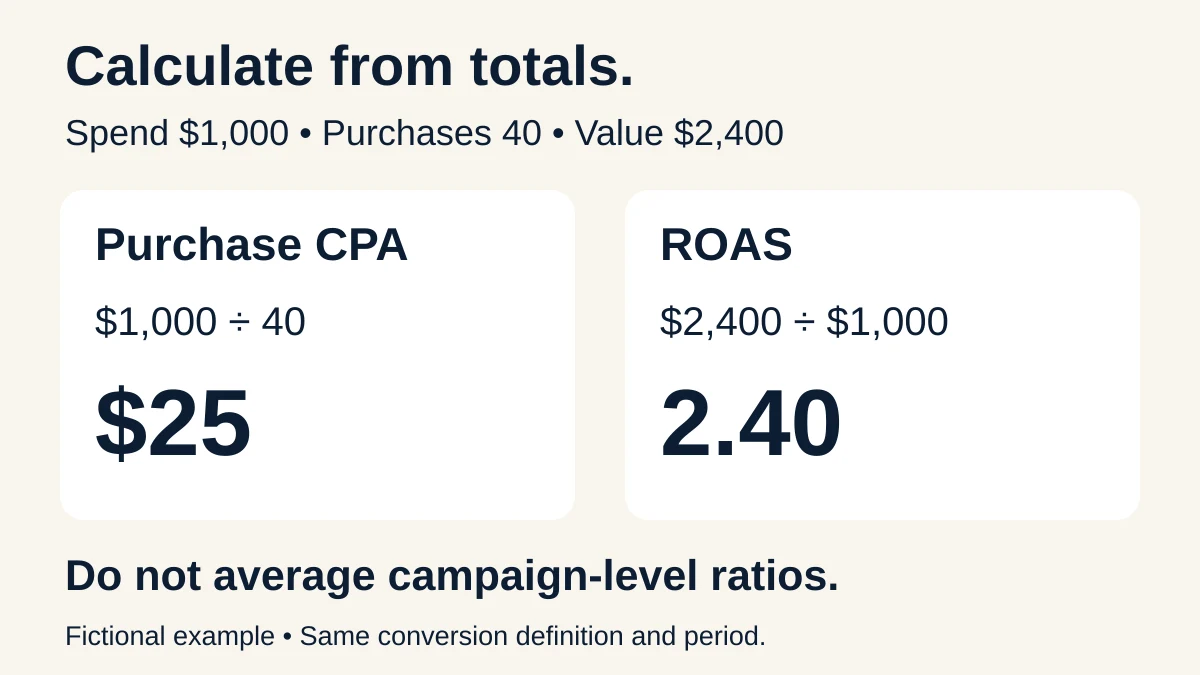
Fictional example. Calculate account metrics from underlying totals rather than averaging each campaign’s CPA or ROAS.
If the agreed CPA target is $22, the account is above target. That detail disappears in the incorrect average.
Campaign B deserves investigation, but the table does not justify moving all spend into it. Ten purchases provide limited evidence, and efficiency at $100 spend does not establish efficiency at $1,000. Check audience, delivery, recent changes, and additional periods before proposing a budget test.
ROAS also describes attributed revenue relative to ad spend, not profit. Refunds, product costs, fees, and other costs require additional data. A profitable decision needs the business economics as well as the advertising report.
4. Diagnose the pattern without pretending to know the cause
Organize each finding into an observation, a possible explanation, and a next check. This keeps the report useful even when the account data cannot settle the cause.
| Observed pattern | Possible explanation | Next check |
|---|---|---|
| CPA rises while link CPC is stable | Lower post-click purchase rate, different traffic mix, or reporting changes | Landing page views, checkout steps, conversion settings, and change log |
| Spend drops sharply | Delivery, schedule, budget, billing, or approval issue | Actual status and account notices before interpreting demand |
| Frequency rises while CTR falls | Possible creative fatigue or audience saturation | Same-ad trends, audience mix, placements, and conversion outcomes |
| Meta and shop order totals differ | Different counting scope, attribution, or a tracking issue | Define what each system counts and compare aligned evidence |
These are investigation paths, not automatic verdicts. High frequency alone does not prove fatigue. A CPM increase alone does not prove a competitor entered the auction. A difference between shop orders and ad-attributed purchases does not prove missing tracking.
Likewise, an ordinary performance export cannot establish incremental sales caused by advertising. That question needs an appropriate measurement design, not a more confident paragraph.
5. Write a report someone can act on
Use five short sections:
- Outcome: the main result and whether it met the agreed target.
- Evidence: the source totals and the most relevant change.
- Interpretation: the strongest supported explanation, with uncertainty stated.
- Next action: one or two prioritized checks or tests.
- Review point: when and how the result will be assessed.
For the fictional account above, a useful update would read:
The account spent $1,000 and recorded 40 attributed purchases at a $25 CPA, above the $22 target. Attributed purchase value was $2,400, giving 2.40 ROAS. Campaign A used 90% of spend and returned a $30 CPA; Campaign B returned a $10 CPA on ten purchases. We will check whether B’s audience and delivery conditions can support a controlled budget test. We have not changed budgets or established that B will maintain its CPA at higher spend.
The update names the issue, shows the evidence, and gives the next step. It avoids turning a promising row into a promise of future returns.
Copy this AI Meta Ads reporting prompt
Attach the report and complete the bracketed fields. This is a starter prompt for the routine described above, not a performance guarantee.
Create a weekly Meta Ads performance report from the attached data.
Account: [label or ID]. Currency and time zone: [values]. Current period: [dates]. Comparison period: [dates]. Reporting level: [campaign/ad set/ad]. Intended conversion and attribution setting: [definitions]. Business target and basis: [target or not established]. Known changes: [changes or unknown].
First validate the files: confirm dates, columns, row structure, duplicates, missing values, and whether totals overlap detail rows. Ask only for missing information that blocks a reliable comparison.
Recalculate CPA, ROAS, link CPC, link CTR, and CPM only where the required inputs exist. Aggregate underlying totals; do not average row-level ratios. Show N/A when a denominator is zero or missing. For percentage change from a zero baseline, describe the absolute change instead.
Return: (1) a concise outcome summary; (2) a current-versus-previous metric table; (3) up to three material findings, each with evidence and uncertainty; (4) up to two prioritized checks or tests; and (5) a client update under 150 words.
Separate verified facts from possible explanations. Do not invent benchmarks, claim causality, infer profit from ROAS alone, or recommend scaling solely from the best small-sample result. Include source file names and reporting limitations. Prepare recommendations only; do not change the account or send the report.
6. Turn the routine into automation after it works
Run the reporting method manually on a completed period first. Reconcile the totals and revise the prompt until the output is useful. Then automate the repetitive retrieval and delivery steps.
For a Claude connection, use the provider’s current instructions and Anthropic’s custom connector setup guide. Available tools and account permissions determine what can be retrieved or changed.
A recurring report needs an explicit schedule and time zone, the correct account, stable date rules, a data retrieval step, a saved output, and a way to notice failed runs. Test the whole chain: trigger → fresh data → calculations → reviewed report → intended destination.
Do not let a failed retrieval silently reuse last week’s numbers as if they were current. Keep the source timestamp and mark stale data clearly. Check that a scheduled job actually exists and that one run completes before relying on it.
You can keep account modifications separate from reporting. A report can recommend a budget test without also being allowed to launch it.
Frequently asked questions
Do I need an AI agent to automate Meta Ads reporting?
You need a way to retrieve data and run the reporting instructions on a schedule. An agent is one option. For a small account, a consistent export plus a reusable prompt can be a simpler starting point.
How often should I run the report?
Choose a cadence based on spend, conversion volume, and how quickly decisions need to be made. Weekly interpretation and more frequent delivery checks serve different purposes. Avoid daily strategic changes based on a handful of outcomes.
Should I ask AI which ads to pause?
You can ask it to identify candidates for review. Require the evidence, conversion volume, target, and relevant recent changes. A low-ROAS row is a starting point for a decision, not an automatic instruction.
Can I trust an AI-generated client report?
Treat it as a draft until its calculations, definitions, claims, and recommendations have been checked. A reusable reporting method makes review faster because you know what each section should contain.
Build a reporting habit you can reuse
The most useful report answers three questions: what happened, what the evidence supports, and what you will check next. Start there before adding more charts, connections, or scheduled jobs.
For reusable instructions you can bring into your own AI workflow, get Athena’s six AI agent automation prompts for $49 one-time. AI services, connected tools, and applicable tax are separate. Available integrations determine which live-data and account actions your setup can perform.
Want to try Athena’s approach before buying? Get the free creative brief prompt and use it for your next ad idea.