
Meta Pixel Not Firing? A Tracking Triage Checklist
Find where a Meta Pixel event stops: page load, consent, trigger, event receipt or server delivery. Includes a test record and a free AI triage prompt.

When a Meta Pixel event appears to be missing, follow one action through the tracking path. Check the page, consent state, trigger, outgoing request and event receipt before deciding what to fix.
Start with the event you expect. A page view, a lead submission and a confirmed purchase should happen at different moments. Checking the wrong action can make a working setup look broken.
Write down the expected behavior
Before testing, record the page, expected event, destination pixel or dataset ID, browser, consent choice and action that should trigger the event. Use an authorized test journey and keep personal data out of screenshots and AI prompts.
For example: “After a successful form submission on this page, Lead should be sent to this ID.” That is testable. “Tracking should work” is not.
1. Confirm the page and consent state
Open the actual final URL, including any redirects. Check whether the page and required scripts load.
Then record the consent state. If the implementation blocks optional marketing tags until consent, an absent browser event before consent may be the intended behavior. Test the accepted and rejected paths against the site's documented design. Do not bypass the visitor's choice to make a diagnostic tool show a green status.
Use a separate diagnostic session to investigate extensions or browser blocking. Keep that result distinct from the behavior of ordinary visitors.
2. Check whether the trigger happened
If you use GTM, inspect its preview for the expected data-layer event, variable values and tag behavior. A tag reported as fired does not establish that Meta received the event.
Watch the full action. Some forms show a success message without changing the URL. Some checkouts complete on another domain. A trigger listening only for a thank-you page load will miss a journey that never reaches that page.
Avoid triggering Purchase on a checkout button. Starting checkout and completing payment are different actions.
3. Follow the request to the destination
Inspect the browser's network activity and the appropriate Events Manager test tools. Record the event name, destination ID, timestamp and response evidence.
| Observation | Next check |
|---|---|
| Required script does not load | Page code, consent logic, blocking or request error |
| Script loads, expected action never appears | Form behavior, data layer and trigger conditions |
| Request goes to the wrong ID | Configuration and environment mapping |
| Request appears but receipt is unclear | Response details, destination and test setup |
| Browser event appears, server event is missing | Server trigger, credentials, delivery logs and response |
Keep the investigation at the layer where the evidence stops. Adding another tag before locating the problem can create duplicates.
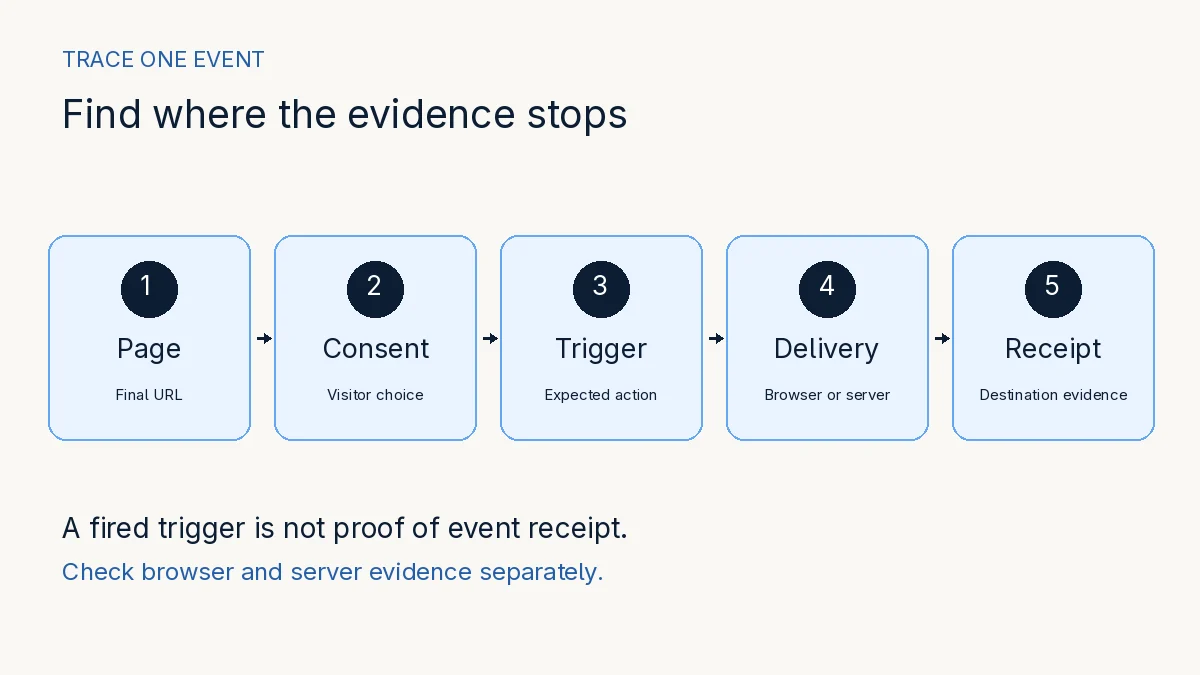
A trigger firing and a destination receiving the event require separate evidence.
The path to check is: page → consent → trigger → browser or server delivery → receipt. Record evidence at each stage before moving to the next.
4. Check browser and server events separately
When the same action is sent by browser and server, check that its event name and shared event identifier are coordinated for deduplication. Separate actions need separate identifiers; retries of the same action should preserve its identity. Follow the current Meta deduplication documentation for implementation details.
Do not treat a server API response alone as proof that an Ads Manager result was attributed to a campaign. Delivery, event processing and advertising attribution are separate questions.
For a purchase flow, verify an authorized successful test transaction using the payment provider's supported test mode. Keep test receipts out of genuine customer revenue. Never create a production purchase event merely to make a dashboard look correct.
Keep a short test record
Page / final domain:
Expected event and destination ID:
Browser / device / consent state:
Action completed:
Tag or data-layer observation:
Browser request and receipt evidence:
Server request and response evidence, if relevant:
Shared event identifier handling:
Observed failure point:
Change made and retest result:
Free AI tracking-triage prompt
Review my anonymized tracking test record.
Separate page loading, consent, action/trigger, browser delivery,
server delivery, deduplication and advertising attribution.
State what the evidence confirms and what remains unknown.
Rank at most three possible causes. Give a confirming test for each.
Do not invent IDs, recommend bypassing consent, or equate a fired tag
with event receipt or a real purchase. Do not edit anything.
Finish with the smallest next diagnostic step.
RECORD: [paste the completed test record]
AI is useful for organizing observations and choosing a next check. The browser, server logs and destination tools still need to provide the evidence.
Use the workflow when tracking questions repeat
Athena's Meta Ads Agent Kit includes Agent 03 (Tracking + landing page checker), which gives a GO / FIX FIRST / DON'T SPEND YET verdict on your page and Meta tracking, and Agent 04 (Conversion event builder), which sets up Meta conversion tracking in Google Tag Manager and publishes only after you say yes. One-time purchase; applicable tax and AI-tool costs are separate.
Working on the ad itself? Request the free AI Ad Creative Brief Builder for a structured creative starting point.
For delivery issues after tracking is checked, use our checklist for Meta ads that are active but not spending.